Choosing the Right Matching Strategy
When you configure matching in MatchLogic, you must choose a strategy that determines which records are compared. The right choice depends on what you are trying to achieve: cleaning up one file, linking records across systems, or both. This guide explains the three available strategies and when to use each one.
Strategy 1: Find All Duplicates
What it does: Compares records both within each data source and across all data sources in the project. Every record is compared against every other record, regardless of which file it came from.
When to use it:
- You want a single, fully deduplicated dataset from multiple inputs.
- Your sources may overlap with each other and also contain internal duplicates.
- You are consolidating data from several systems into one master list.
Example: Your company has three regional customer databases. Each region may have entered the same customer independently, and each database also has its own internal duplicates. Use "Find All Duplicates" to identify every duplicate pair, whether it occurs within a single region or across regions.
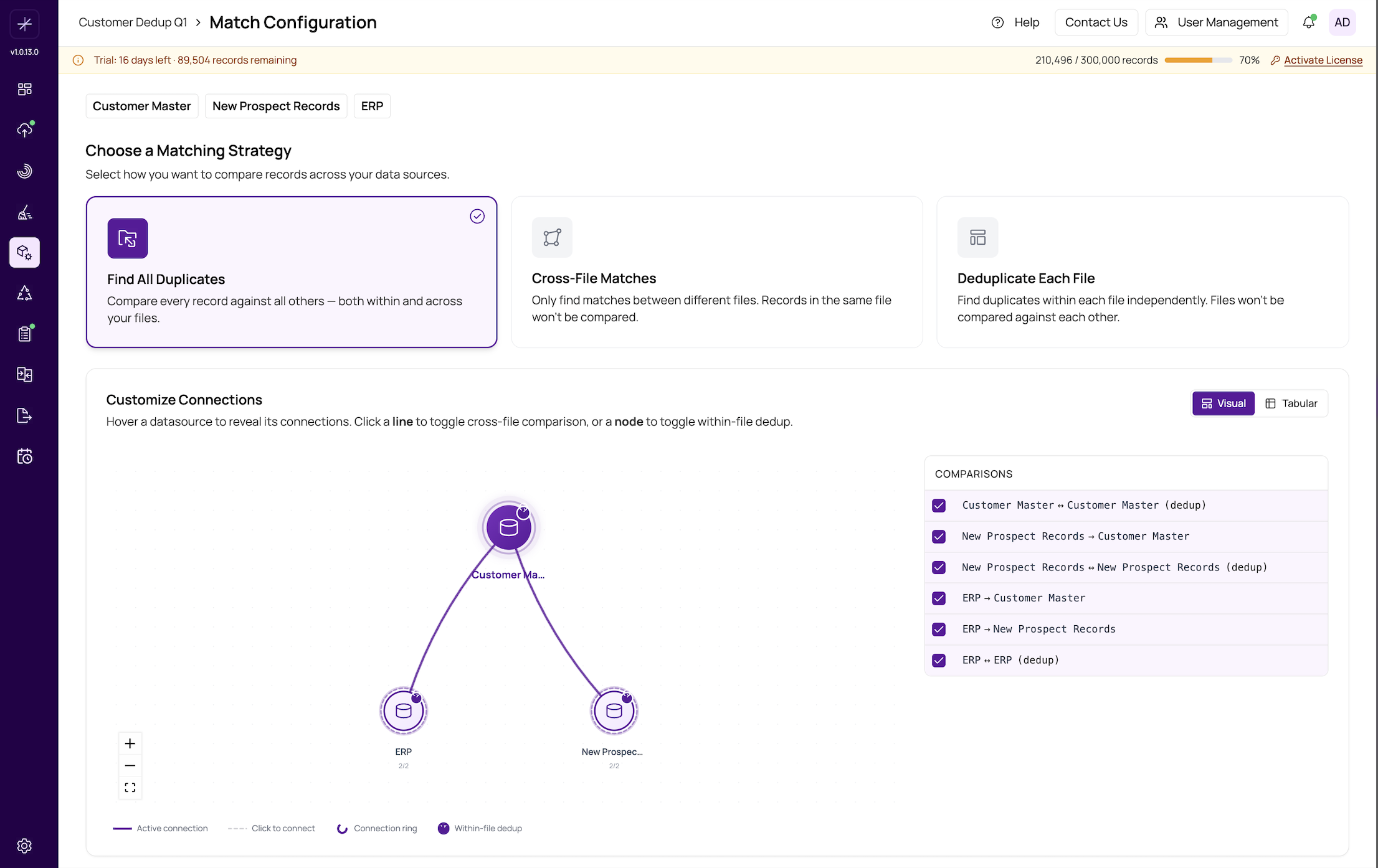
Important
This strategy produces the most comparisons and takes the longest to run. For very large datasets, consider whether cross-file or within-file matching alone would meet your needs.
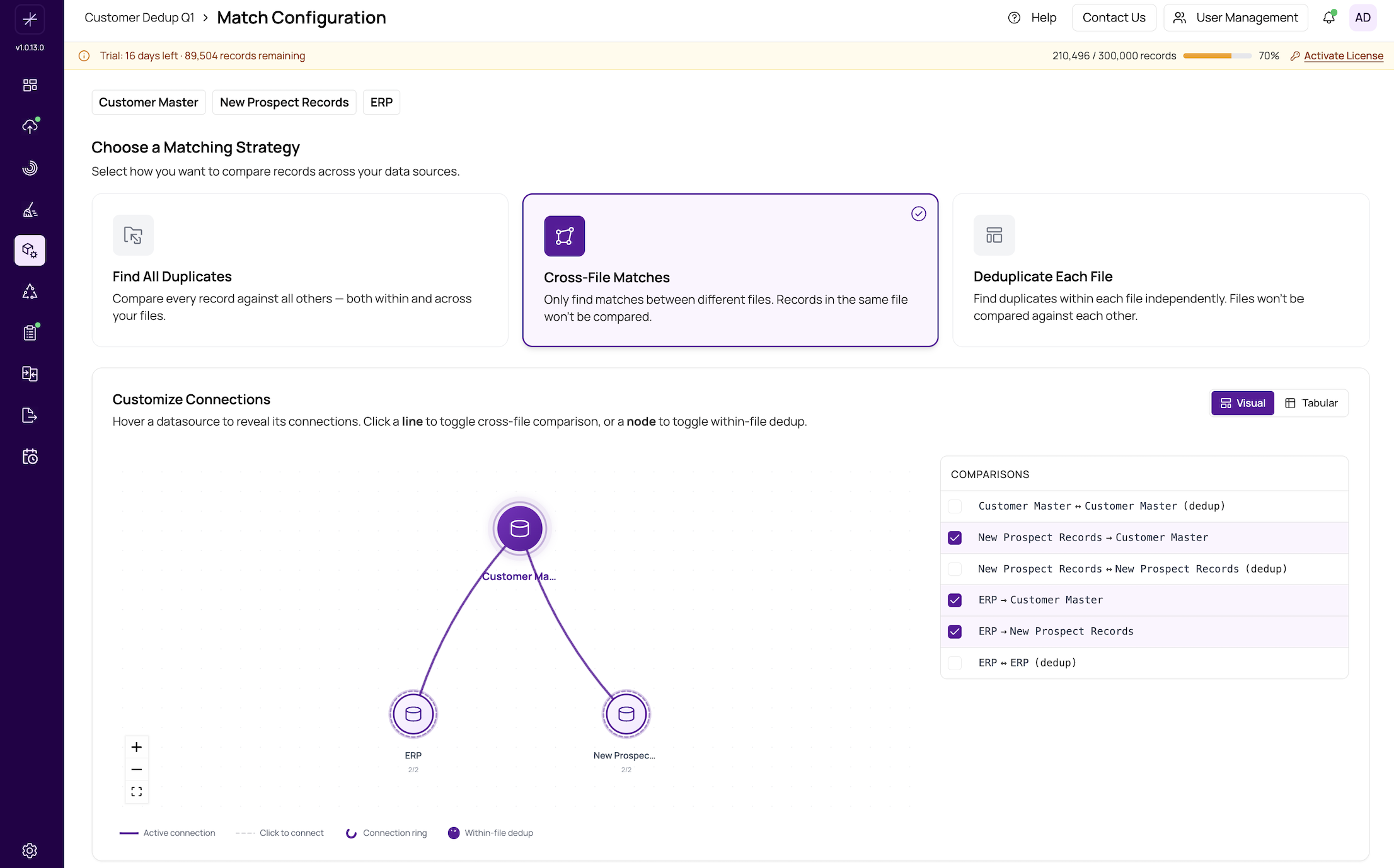
Strategy 2: Cross-File Matches
What it does: Compares records only between different data sources. Records within the same source are never compared to each other.
When to use it:
- You want to link or reconcile records between two systems without deduplicating within either one.
- Each source is already clean internally, or internal dedup is not your goal.
- You need to answer the question "Which records in System A correspond to records in System B?"
Example: You have a CRM export and an ERP customer list. You know both systems track the same customers but with different identifiers. Use "Cross-File Matches" to find which CRM contacts match which ERP customers, without flagging internal duplicates in either system.
Another example: A hospital needs to match patient records from an acquired clinic's system against the existing hospital database to merge patient histories.
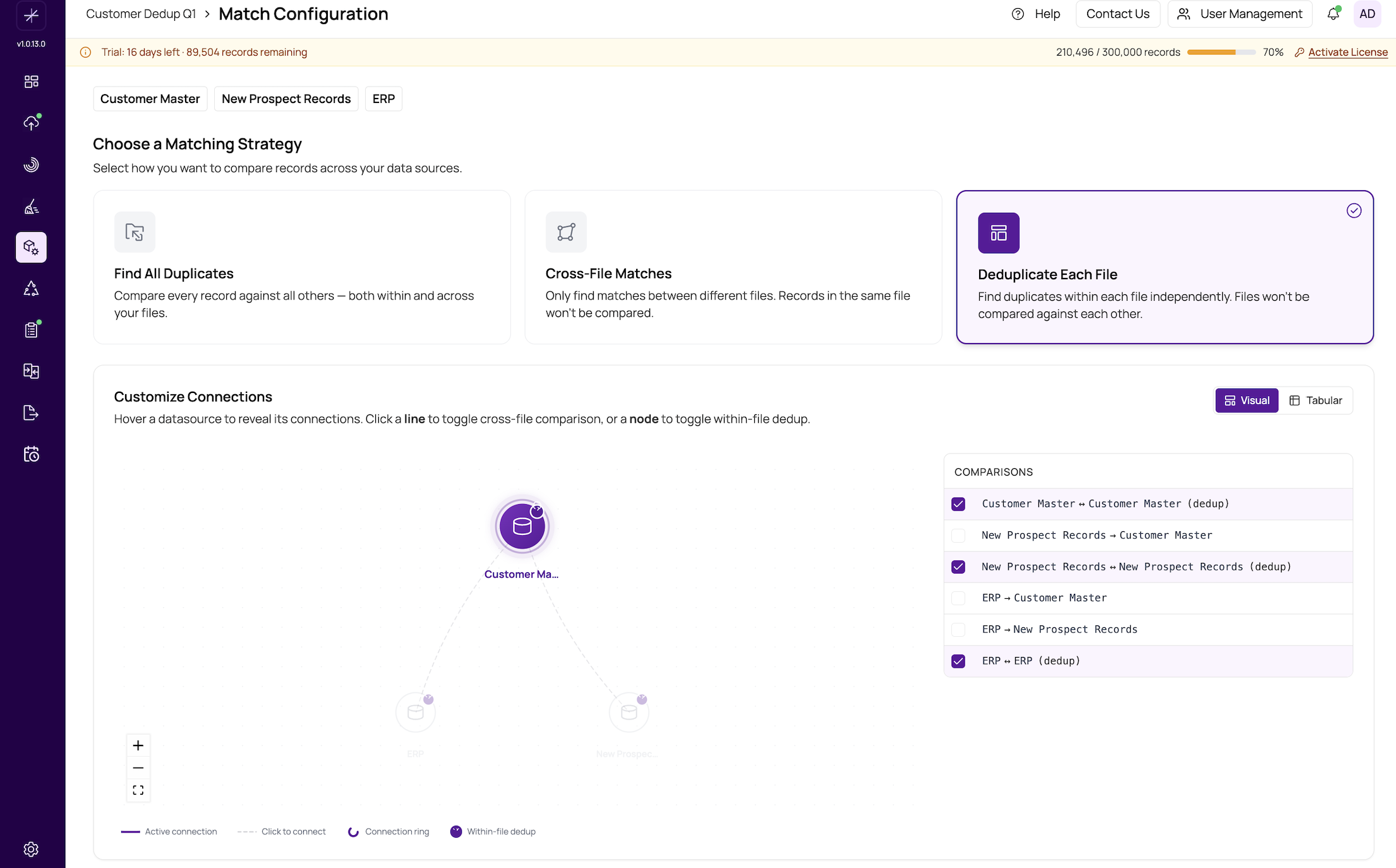
Strategy 3: Deduplicate Each File
What it does: Compares records only within each data source independently. If you have two sources, Source A is deduplicated by itself and Source B is deduplicated by itself. Records from Source A are never compared to records from Source B.
When to use it:
- Your data sources are independent and should not be linked to each other.
- You want to clean up each file on its own terms.
- The sources represent different entity types or domains that should not be cross-referenced.
Example: You have a customer list and a vendor list in the same project for convenience. You want to find duplicate customers and duplicate vendors, but there is no reason to match customers against vendors. Use "Deduplicate Each File" to process them independently.
Decision Guide
Ask yourself these questions to choose the right strategy:
- Do I have one data source or multiple?
- One source: Only within-file matching applies. Use "Deduplicate Each File" or "Find All Duplicates" (they behave the same with a single source).
- Do I need to link records between sources?
- Yes, and I also need to deduplicate within each source: Use Find All Duplicates.
- Yes, but I do not need internal dedup: Use Cross-File Matches.
- Are my sources independent?
- Yes, they should not be compared to each other: Use Deduplicate Each File.
Tip
You can change your strategy and re-run matching at any time. If you are unsure, start with "Cross-File Matches" for multi-source projects (the most common scenario) and switch to "Find All Duplicates" if you discover internal duplicates during review.
Impact on Downstream Steps
Your strategy choice affects the structure of match results, groups, and merge behavior. Cross-file matching produces pairs where each record comes from a different source. Within-file matching produces pairs from the same source. "Find All Duplicates" produces a mix of both. Keep this in mind when setting up survivorship rules -- for example, a "Prefer Data Source" rule only makes sense when groups contain records from multiple sources.
For a hands-on walkthrough of cross-file matching, see https://help.matchlogic.io/article/203-quick-start-cross-file-matching. For single-source deduplication, see https://help.matchlogic.io/article/202-quick-start-first-dedup-project.