The Active Job Banner
The active job banner is an in-page progress indicator that appears at the top of the current module page whenever a background job is running for the active project. It provides at-a-glance visibility into job progress without requiring you to open the Job Status Dialog.
When the Banner Appears
The banner appears automatically when a job starts and remains visible until the job finishes. It is project-specific — if you are viewing Project A and a job is running for Project B, the banner will not appear on Project A's pages. Jobs that trigger the banner include:
- Data Import
- Advanced Data Profiling
- Match execution
- Merge and Survivorship execution
- Final Export
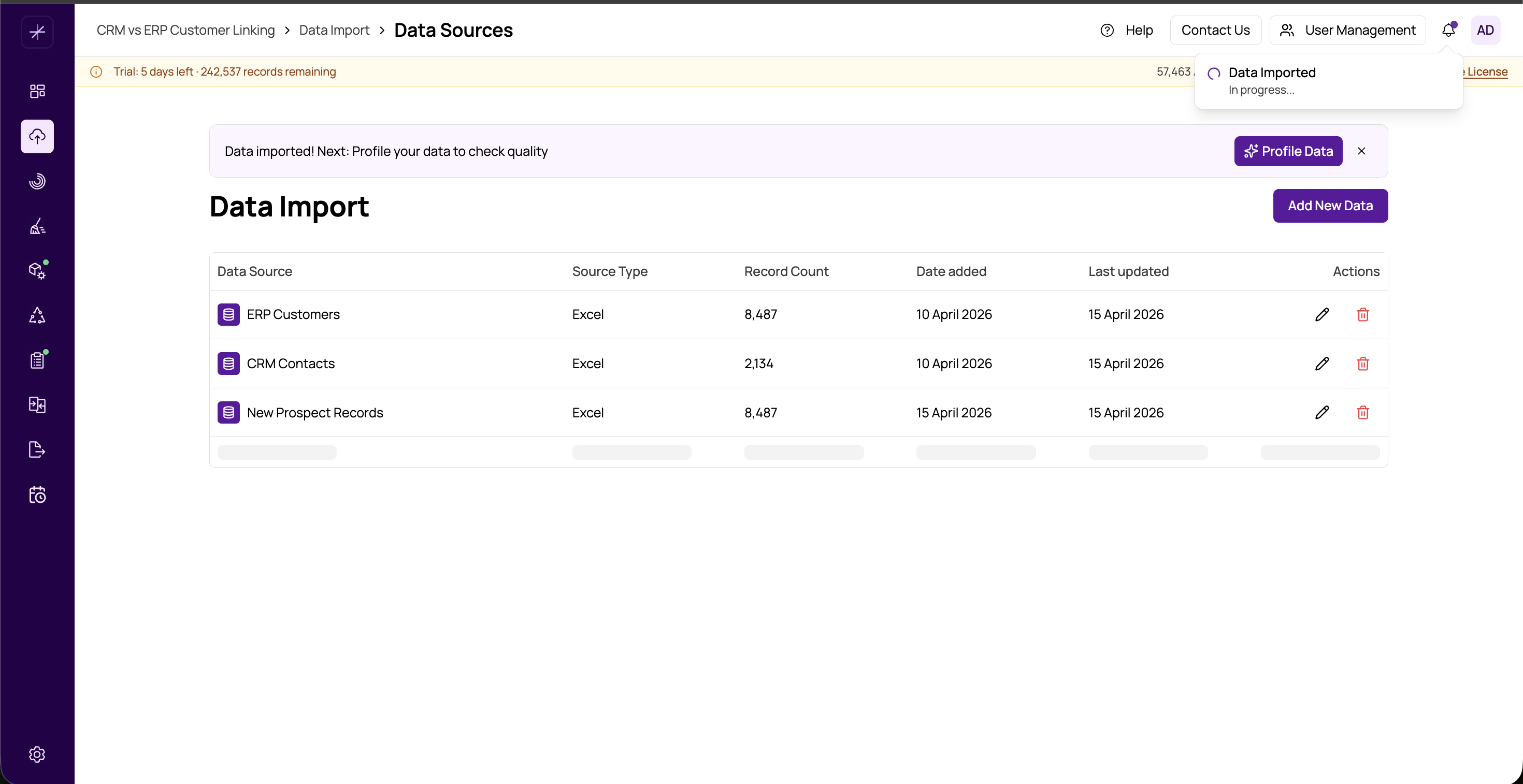
What the Banner Shows
The banner displays:
- Job name — the type of operation currently running
- Step description — a human-readable description of the current processing step (e.g., "Blocking records…", "Comparing field pairs…")
- Progress bar — an animated bar indicating overall completion percentage
Auto-Collapse Behaviour
To avoid obscuring content on pages with long tables or configuration forms, the banner automatically collapses to a thin strip when you scroll down the page. The strip retains a minimal progress indicator so you always know the job is still running. Scroll back to the top of the page to see the full banner.
Tip: Even when the banner is collapsed, the header icon badge still shows active jobs. You can always click the activity icon to check detailed status in the Job Status Dialog.
Completion State
When the job finishes, the banner transitions to a completion state:
- Success — the progress bar fills completely, the step description updates to a success message (e.g., "Matching complete"), and the banner fades out after a few seconds
- Failure — the banner updates with a red error indicator and a brief failure message before fading out
A toast notification also appears at the bottom-right of the screen at the same time, providing a "View Results" shortcut for successful completions.
Navigating Away During a Job
You are free to navigate to any other module while a job is running. The job continues processing on the server regardless of which page you are viewing. When you return to a page for the same project, the banner will reflect the current job state. If the job completed while you were away, no banner is shown — check the notification bell for the outcome.
Note: On pages where the job's output will be displayed (such as Match Results after a match job), the page content may be empty or stale until the job completes. The banner in these cases also serves as a visual cue that results are not yet available.