Unsaved Changes Protection
MatchLogic includes a navigation guard that prevents you from accidentally losing unsaved work when moving away from a page that has pending changes. This is particularly important on pages with complex configurations that take time to build.
How It Works
When you have made changes to a page but have not yet saved them, MatchLogic tracks that unsaved state. If you then attempt to leave the page — by clicking a different module in the sidebar, using the browser's back button, or closing the browser tab — a confirmation dialog appears before navigation proceeds.
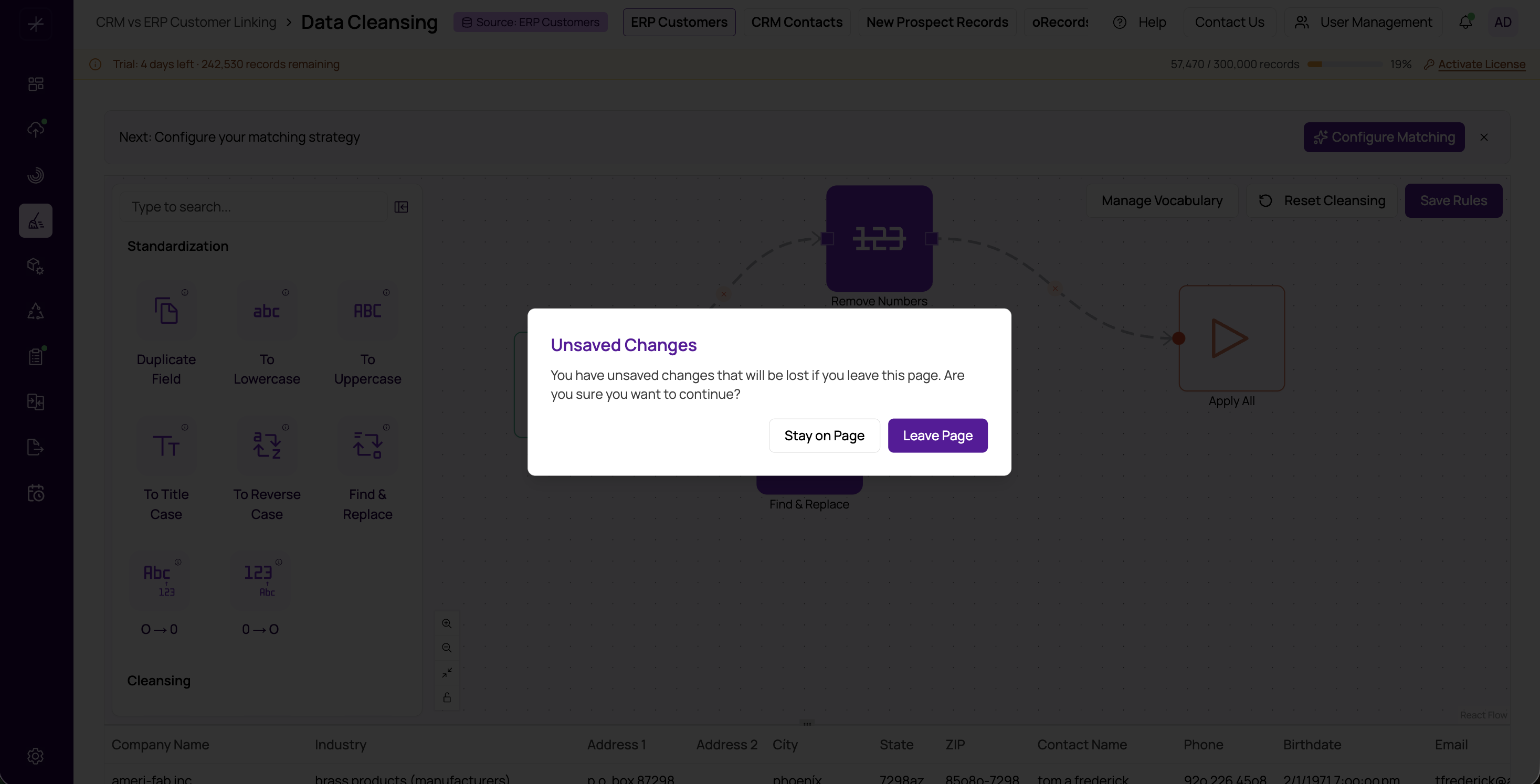
The Confirmation Dialog
The dialog presents two choices:
- Leave Anyway — discards all unsaved changes and proceeds with navigation
- Cancel — returns you to the page so you can save your work before leaving
There is no "Save and Leave" option in the dialog itself — always save your work using the Save button on the page before navigating away if you want to retain your changes.
Warning: If you choose "Leave Anyway", your unsaved changes are permanently discarded and cannot be recovered. There is no undo for navigation-based data loss.
Where Protection Is Active
The unsaved changes guard is active on the following pages:
- Data Cleansing — the visual flow builder canvas. Any nodes placed or connected since the last save are considered unsaved.
- Match Definitions — the criteria configuration panel. Changes to field mappings, match types, weights, or the active definition trigger the guard.
- Merge and Survivorship — both the Master Rules and Overwrite Rules configuration tabs. Adding, reordering, or editing rules triggers the guard.
Pages with auto-save behaviour (such as Match Results group selections) do not trigger the guard because changes are saved automatically.
Browser Tab and Window Closure
If you attempt to close the browser tab or window with unsaved changes, the browser's native "Leave site?" dialog appears. This is a browser-level protection that operates independently of the MatchLogic dialog. The exact wording and appearance of this native dialog depends on your browser.
Tip: Develop a habit of saving before switching modules. On pages with a Save button, look for a visual indicator (such as the button becoming active or a "Changes pending" label) that signals there is unsaved work.
Best Practices
- Save your work frequently — especially before running a job or switching to a different module.
- If you are interrupted mid-configuration, use Cancel in the navigation dialog to return and save before leaving.
- In the Data Cleansing flow builder, use
Ctrl+S/Cmd+Sas a quick save shortcut rather than reaching for the Save button each time.