The Next Step Banner
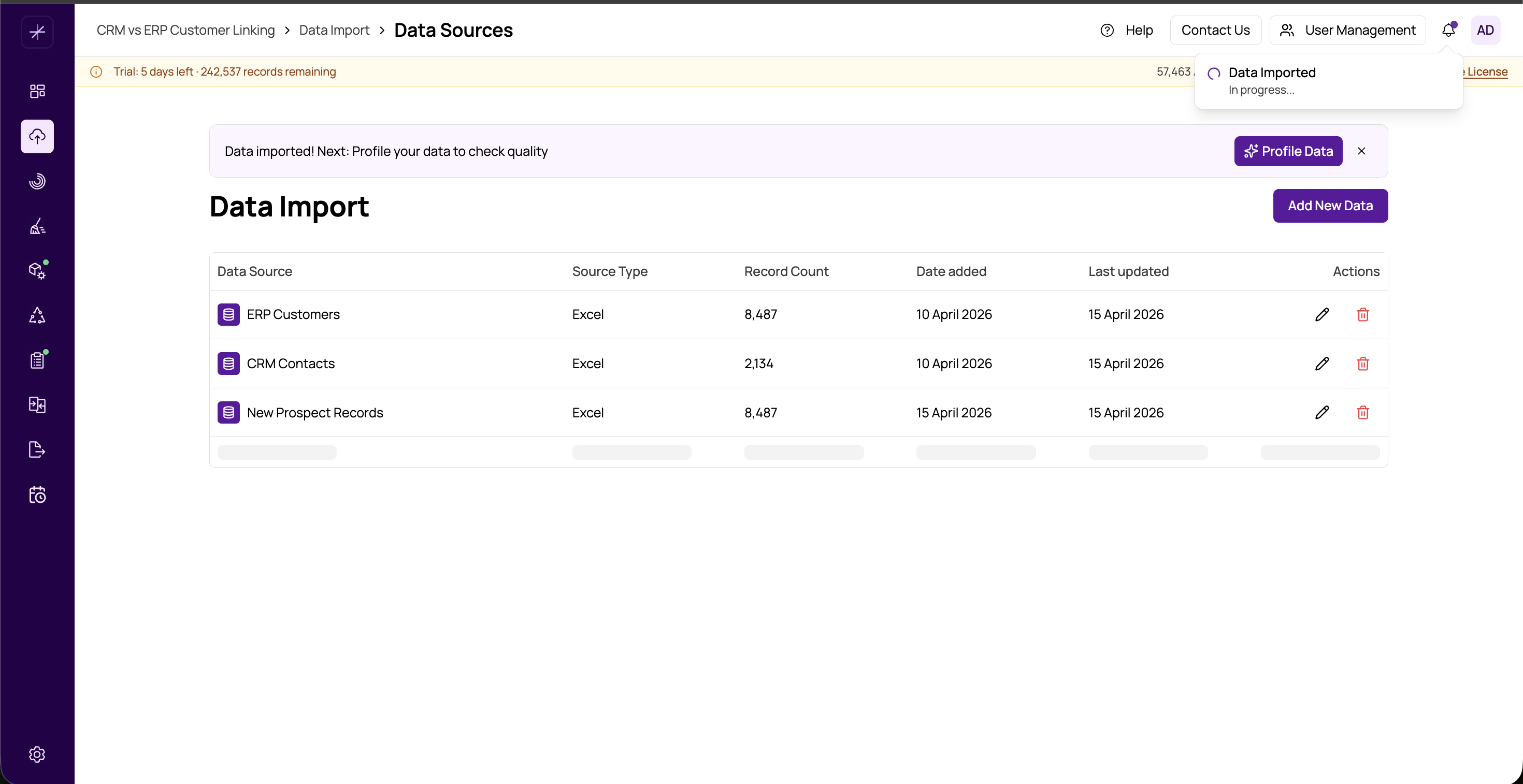
MatchLogic is built around a sequential data pipeline: import data, profile it, cleanse it, configure matching, run matches, review results, merge records, and export. The Next Step Banner guides you through this pipeline by surfacing the recommended next action after you complete each stage.
Where It Appears
The Next Step Banner appears at the bottom of the page after you complete a significant action within a module. For example:
- After a Data Profiling job completes, the banner suggests moving to Data Cleansing
- After saving a Match Configuration, the banner suggests setting up Match Definitions
- After reviewing Match Results, the banner suggests proceeding to Merge and Survivorship
What the Banner Contains
Each Next Step Banner includes:
- Next step name — the name of the recommended next module in the pipeline
- Brief description — one sentence explaining what the next module is for
- Navigate button — a button that takes you directly to the next module, carrying your current project context
When the Banner Disappears
The banner disappears in two situations:
- You navigate away — clicking the banner's navigate button or using the sidebar removes the banner from view
- The next step is already complete — if you have already completed the recommended next step for the current project, the banner does not appear, since there is no need to prompt you forward
Tip: The Next Step Banner is particularly helpful when you are new to MatchLogic and learning the pipeline order. As you become familiar with the workflow, you may prefer to navigate directly using the sidebar rather than following the banner prompts.
The Pipeline Order
The full pipeline that the Next Step Banner guides you through is:
- Data Import
- Data Profiling
- Data Cleansing
- Match Configuration
- Match Definitions
- Match Results (run matching)
- Merge and Survivorship
- Final Export
You are not required to follow this order — the sidebar allows direct navigation to any module at any time. The banner is a guide, not a gate.
Non-Linear Workflows
If you revisit an earlier step (for example, updating your cleansing rules after already running a match), the banner may suggest re-running the match to incorporate the changes. This keeps your results in sync with your latest configuration.
Note: The Next Step Banner reflects the recommended sequence for most projects. Some projects may not require every step — for example, if your data is already clean, you can skip Data Cleansing entirely. The banner will still suggest it, but you are free to proceed directly to Match Configuration.