Groups View
The Groups view in the Detailed Analysis tab clusters matched records by transitive closure. If Record A matches Record B, and Record B matches Record C, all three records appear together in a single group — even if A and C did not directly match each other. This gives you the full picture of related records.
Group Structure
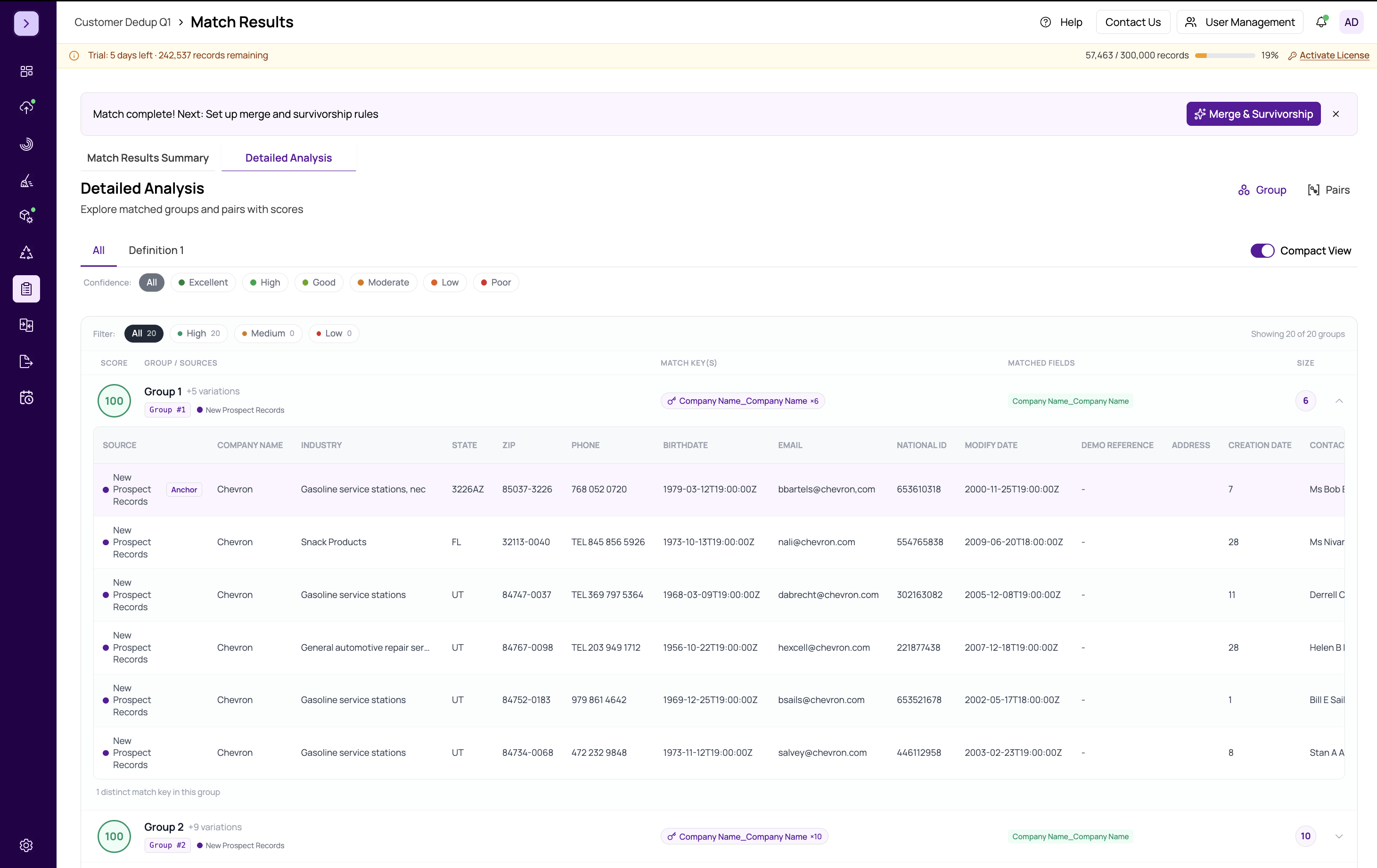
Each group is displayed as an expandable row. The collapsed view shows summary information:
- Group ID — a unique identifier for the group
- Record Count — the number of records in the group
- Data Source — which datasources contributed records to this group
- Max Score — the highest match score among all pairs within the group
Click a group row to expand it and see all member records in a nested table.
Expanded Group Table
When you expand a group, you see every record that belongs to it. The nested table includes:
- Checkboxes — Master, Selected, and Not Duplicate flags for each record (see master-selected-not-duplicate)
- Data Source — which source the record came from
- Record Number — the original row number
- Scores — match scores per definition and the Max Score
- Data fields — the actual field values, allowing you to compare all records in the group side by side
Why Groups Matter
Groups are essential for the merge and survivorship phase. When you proceed to what-is-merge-and-survivorship, MatchLogic processes records group by group. The master record selection, field survivorship rules, and final export all operate at the group level. Reviewing groups now ensures that the clusters make sense before merging.
Common Group Patterns
- Pair groups (2 records) — the most common type, representing a simple one-to-one duplicate
- Small clusters (3-5 records) — records linked through transitive matches, common with multi-source data
- Large clusters (6+ records) — may indicate data quality issues or overly broad definitions. Review these carefully.
Important
Large groups can result from a "chaining" effect where a loose match criterion links many records together transitively. If you see unexpectedly large groups, consider tightening your match criteria or increasing field weights. See https://help.matchlogic.io/article/398-setting-field-weights.
Tip
Use the Groups view as your primary review workspace before running merge and survivorship. Set the Master, Selected, and Not Duplicate flags here to control how records are treated downstream.