Selected Row Handling
Selected row handling gives you fine-grained control over which records within match groups are included in your export. While the export action (see https://help.matchlogic.io/article/294-choosing-an-export-action) determines the broad category of records to export, selected row handling filters records within those groups based on their status.
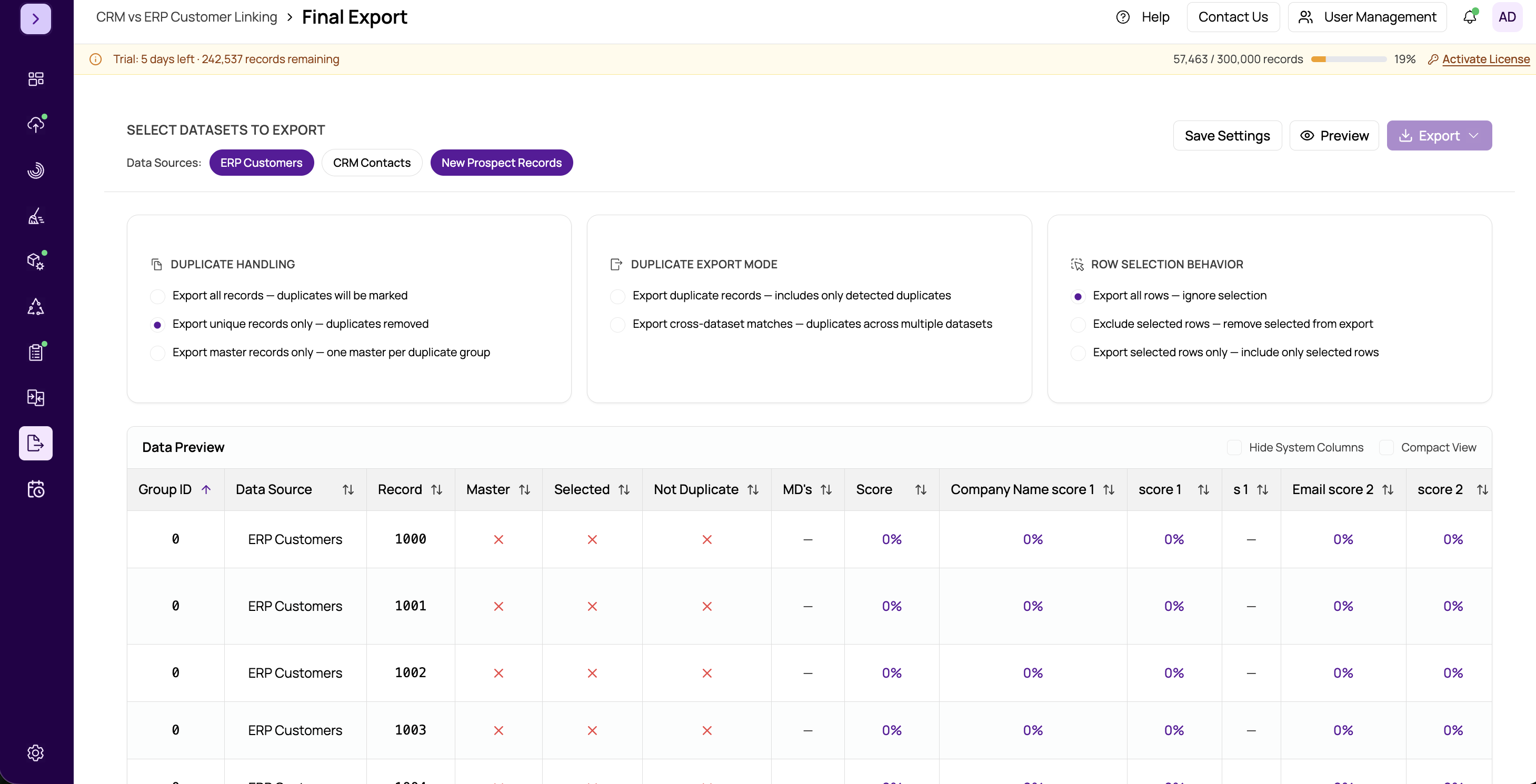
Options
- All Records in Groups — Includes every record within each match group. No filtering is applied based on record status. This is the default and gives you the complete picture of each group.
- Master Records Only — Includes only the record designated as the master within each group. The master record is determined by the rules you configured in the Merge and Survivorship module. Use this when you want exactly one representative record per group.
- Selected Records Only — Includes only records that were manually marked as "selected" during the match results review stage. This is useful when a data steward has reviewed match groups and hand-picked the records to keep.
- Not Duplicates Only — Includes only records that were explicitly marked as "not a duplicate" during match review. These are records that appeared in a match group but were determined by a reviewer to be false positives.
How It Combines with Export Actions
The selected row handling works as an additional filter on top of the export action. For example:
- Duplicates Only + Master Records Only — Exports only the master record from each match group, excluding all non-duplicate records and non-master group members.
- All Records and Flag Duplicates + Selected Records Only — Exports all non-duplicate records plus only the hand-picked records from each group, with duplicate flags applied.
- Non-Dups and Master Record + All Records in Groups — Exports non-duplicates and all records from groups (effectively the standard golden record output).
Tip
If you have not reviewed match results and marked records as selected or not-duplicate, the "Selected Records Only" and "Not Duplicates Only" options may produce empty or unexpected results. Make sure to complete your match review in the https://help.matchlogic.io/article/294-choosing-an-export-action step before relying on these filters.
Important
The Master Records Only option requires that you have run master determination in the Merge and Survivorship module. If no master records have been assigned, this filter will produce an empty export.