Score Distribution and Confidence Bands
The score distribution chart on the Summary tab groups all match pairs by their score range, giving you a visual breakdown of match confidence across your results. Each pair receives a score from 0 to 100 based on the weighted criteria in your match definitions, and this chart shows how those scores are distributed.
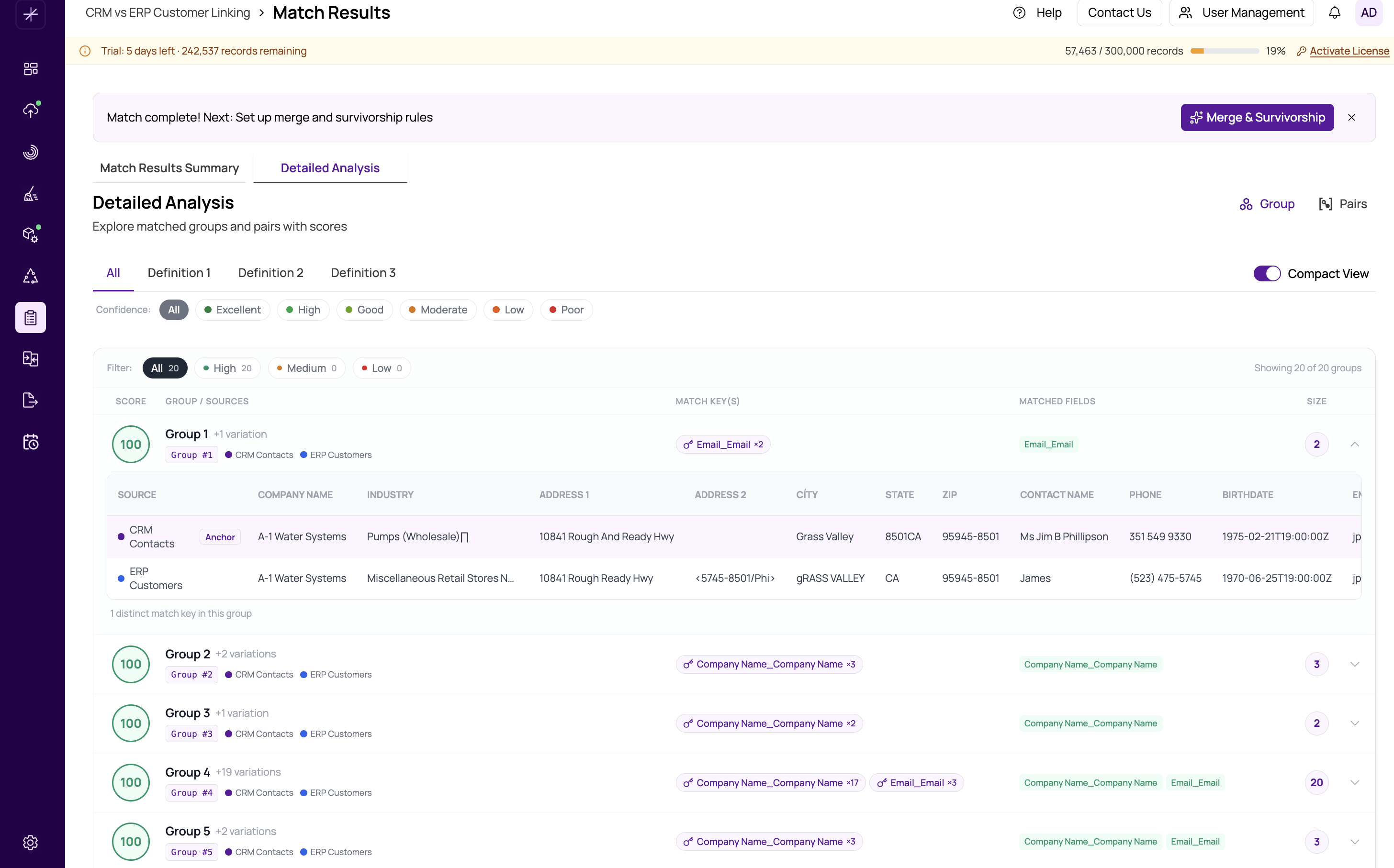
Confidence Bands
MatchLogic groups scores into six confidence bands, each with a distinct color:
| Band | Score Range | Color | Interpretation |
|---|---|---|---|
| Excellent | 95 - 100 | Green | Near-certain matches. These pairs are almost certainly duplicates. |
| High | 80 - 94 | Teal | Strong matches. Very likely duplicates with minor field differences. |
| Good | 60 - 79 | Amber | Probable matches. Worth reviewing, especially for critical data. |
| Moderate | 40 - 59 | Orange | Possible matches. Manual review recommended to confirm. |
| Low | 20 - 39 | Light red | Weak matches. May be false positives. |
| Poor | 0 - 19 | Red | Very weak matches. Likely false positives that should be reviewed or excluded. |
Reading the Chart
Each bar represents one confidence band. The height of the bar indicates the number of match pairs that fall within that score range. Hover over any bar to see a tooltip with the exact pair count and the score threshold boundaries.
Filtering by Confidence Band
Below the chart, colored band pills (small buttons) let you filter the detailed results. Click a pill to show only pairs within that confidence band in the Pairs or Groups view. You can combine this with other filters like definition selection and datasource filtering. See filtering-by-definition for more on combined filtering.
Tip
A healthy match result typically shows most pairs in the Excellent and High bands. If you see a large number of pairs in the Moderate or Low bands, consider reviewing your match definitions. You may need to increase weights on discriminating fields or add additional criteria. See https://help.matchlogic.io/article/398-setting-field-weights for guidance.
Important
Pairs in the Poor band (0-19) are rarely true duplicates. Before proceeding to merge and survivorship, review these pairs in the pairs-view and mark false positives using the Not Duplicate checkbox in master-selected-not-duplicate.