Choosing Datasources to Include
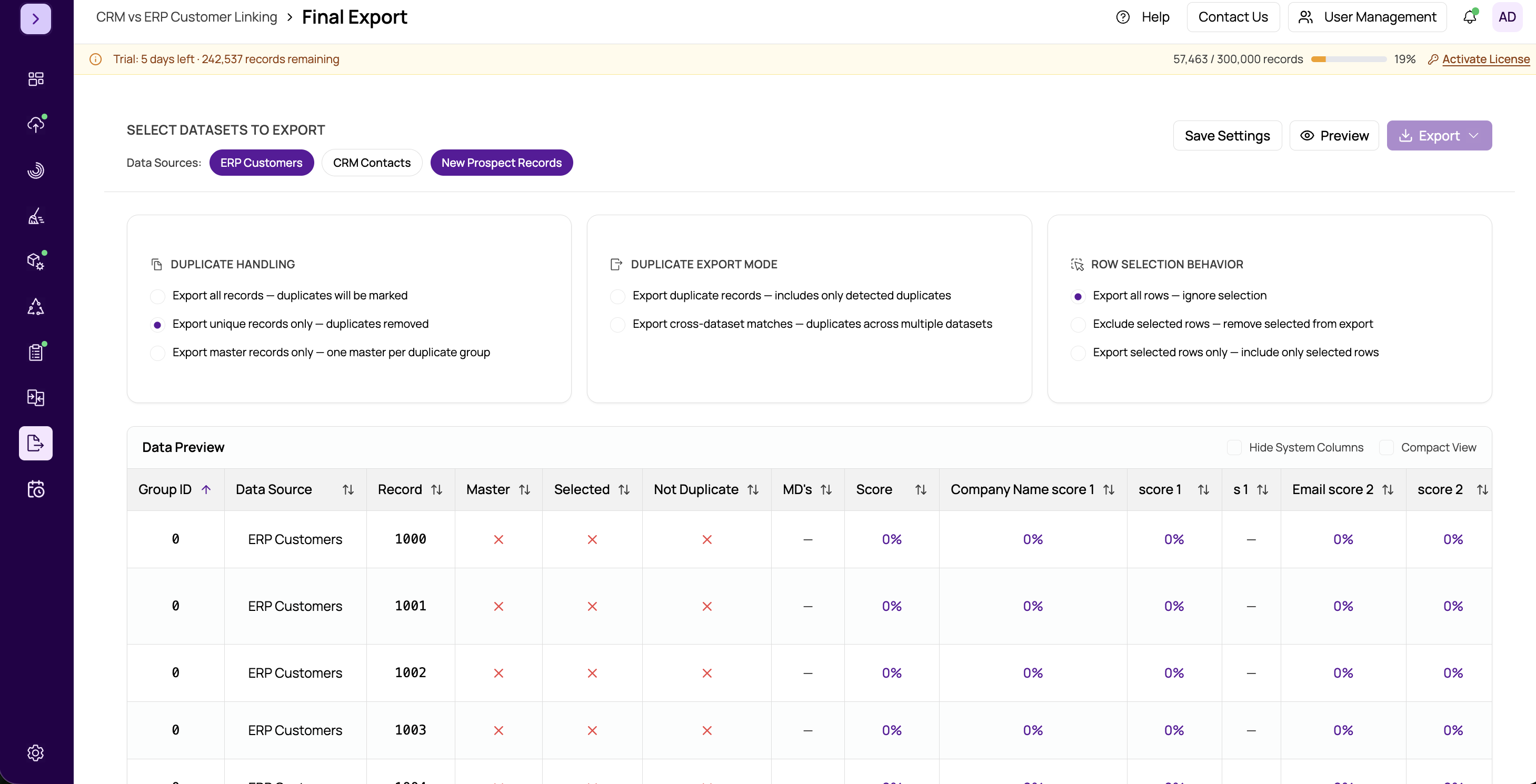
When your project contains multiple datasources, the Final Export module lets you choose exactly which ones to include in the exported output. This gives you the flexibility to export a subset of your data rather than always exporting everything.
How It Works
The datasource selection panel displays all datasources that belong to your current project. Each entry shows:
- Datasource name — The name assigned during import.
- Record count — The number of records in that datasource, helping you estimate the size of your export.
- Checkbox — Check or uncheck to include or exclude the datasource from the export.
When to Exclude Datasources
There are several scenarios where you might want to exclude certain datasources:
- Reference data. If you imported a lookup table or reference file solely for matching purposes, you may not want it in your final output.
- Staging data. Temporary or intermediate datasources that were used during cleansing or profiling but are not needed in the final deliverable.
- Partial exports. When you need to deliver results for one client or department at a time, export only the relevant datasource.
Step by Step
- Navigate to the Final Export page from the sidebar.
- In the datasource selection section, review the list of available datasources.
- Check the boxes next to the datasources you want to include.
- Uncheck any datasources you want to exclude.
- The record count updates automatically to reflect your selections.
Important
You must select at least one datasource. The export will not proceed if no datasources are checked. If your project contains only one datasource, it is selected by default.
Tip
The datasource selection works together with your export action and selected row handling. Records from excluded datasources are filtered out before any other export logic is applied. See https://help.matchlogic.io/article/294-choosing-an-export-action and https://help.matchlogic.io/article/295-selected-row-handling for the full picture.